
07/04/2026
New members portal — profile, discussions and fees in your browser or as an app
CSH
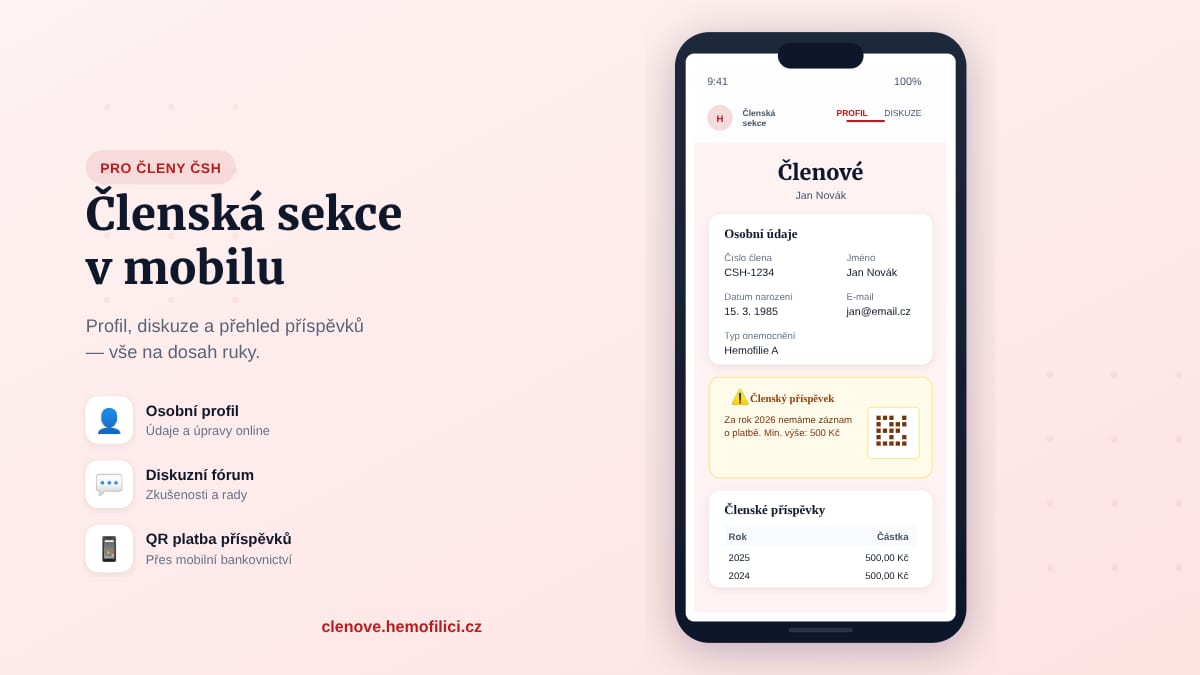
We have launched the CSH members portal — it works in any browser on your computer or phone, and on mobile you can also add it to your home screen as an app.
We have launched a new members portal for the Czech Hemophilia Society at clenove.hemofilici.cz. It works in any browser on your computer, tablet, or phone — just open the link and log in. There is nothing to install or download.
On your phone, you can also add it to your home screen as an app — it then opens in full screen and is always at your fingertips.
How to add the members portal to your phone's home screen
The whole process takes less than a minute.
Android (Chrome):
- Open clenove.hemofilici.cz in Chrome
- Tap the three dots in the top right corner
- Select Add to Home screen or Install app
- Confirm — the icon will appear on your home screen
iPhone (Safari):
- Open clenove.hemofilici.cz in Safari
- Tap the Share button (the square with an arrow at the bottom)
- Scroll down and select Add to Home Screen
- Confirm — the icon will appear on your home screen
The app then opens in full screen without the browser address bar — it looks and works like a regular mobile app.
What you'll find in the app
My Profile
- Your personal details on file with the society (name, address, contact, diagnosis)
- Edit your details directly in the app
- Overview of paid membership fees by year
- If you haven't paid this year's fee, a reminder appears with a QR code for quick payment via your mobile banking app
Discussion Forum
A new space for members where you can:
- Share experiences about treatment and care
- Ask questions and help other community members
- Discuss events and community news
- You can also post anonymously
The forum is organised into topic categories, and you can reply to threads, react to posts, or report inappropriate content.
How to log in
You can log in simply and securely. Options available:
- Seznam.cz — if your email is on seznam.cz, log in with one click
- Google — if your email is on gmail.com, log in with your Google account
- Email and password — you can create an account with your email and password
Important: Use the email address registered with the society. If your email is on seznam.cz, log in via Seznam. If on gmail.com, use Google. One click is all it takes — no extra password to remember.
Where to find the app
- At clenove.hemofilici.cz
- On the homepage below the main buttons
- In the menu under CSH → Members Portal
What's coming next
- Notifications about events and important deadlines directly in the app
- Materials and documents exclusively for members
Have ideas for what would be useful? Write to us at info@hemofilici.cz.
If you are not yet a member, you can submit a membership application online. For any questions or issues with logging in, contact us at info@hemofilici.cz.